The operation of the mask equals the procedure of duplicating groups of elements.
Procedure:
The elements to be changed are selected. By clicking "Mass change" in the ribbon menu, the "Mass changes" tab is opened. The "Rename element" function is then selected.
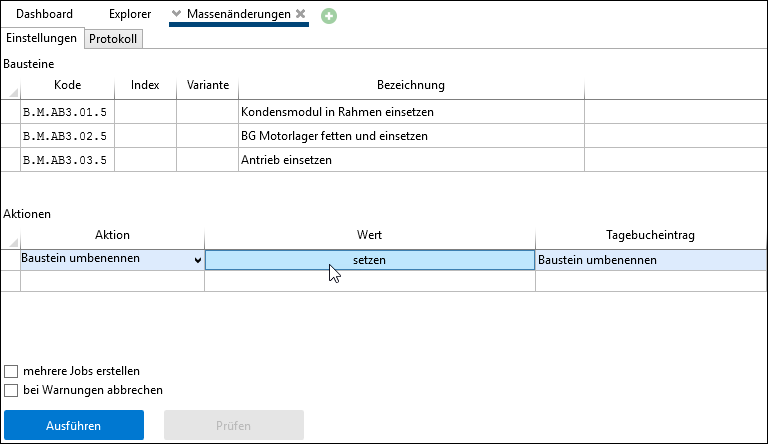
Example: Rename Element
By clicking on the Set button, a dialog opens which is familiar from the Rename function.
After entering the desired changes, click the Execute button in order to rename the elements accordingly.