When changing type and status the type and/or status of several elements can be changed at the same time.
Procedure:
The elements to be changed are selected. By clicking "Mass change" in the ribbon menu, the "Mass changes" tab is opened. The "Change type/status" function is now selected.
For all selected elements only one type respectively status can be selected. By clicking on the "Execute" button, the change is carried out for the respective elements.
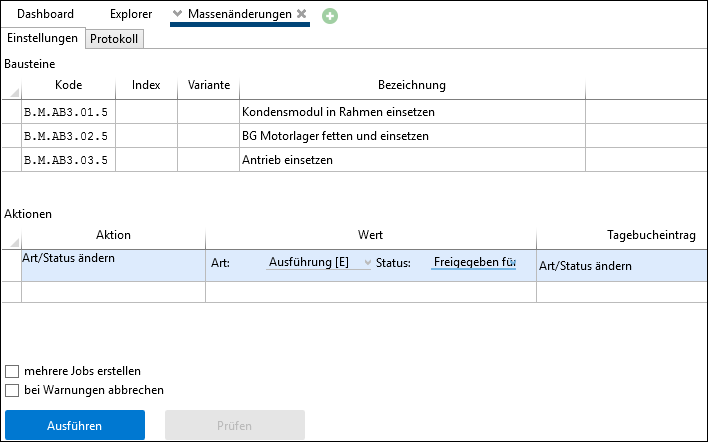
Change type and status
Note: |
Every type/status change is recorded in the journal. In the advanced search, a search can be carried out in the journal options for elements in which the type or status was changed at a specific time. |