This tab is available at the element configurations of the "MTM-HWD® analysis" element type.
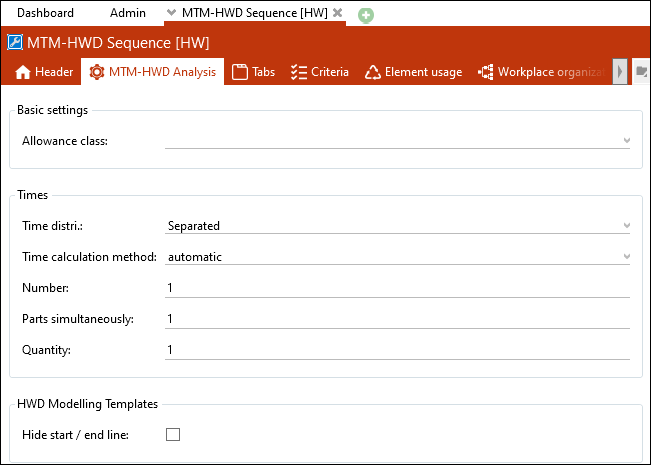
"MTM-HWD® analysis" tab of the "MTM-HWD® section" [HW] element configuration
Basic settings
Allowance class
Here it is possible to assign a predefined allowance class to the element configuration.
Times
Time Distribution
This is the default of the time distribution in the header of newly created elements.
Time calculation method
Default for Time calculation method field
Number
This is the default of the field number in the Times tab of newly created elements.
Parts simultaneously
This is the default of the field parts simultaneously in the Times tab of newly created elements.
Quantity
This is the default of the field quantity in the Times tab of newly created elements.
Modelling template
Hide start / end line
If the option is enabled, the start and end row in the "HWD® analysis" tab are hidden.