In the Process indicators tab, you can make settings at the element configuration for using process indicators.
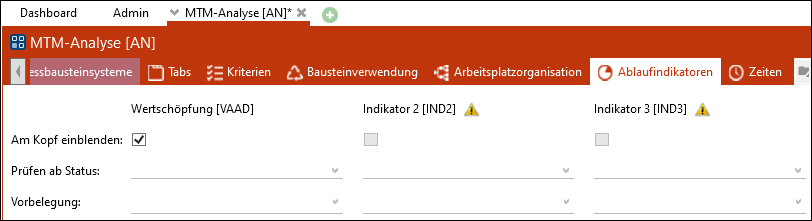
"Process indicators" tab of the "MTM analysis" [AN] element configuration
Show on header
The value adding indicators where the checkbox is activated will be displayed on the header of an element. The settings are only effective if the corresponding indicator is activated.
Check from status
If for one or more process indicators a status is defined it will be checked during the next saving whether for all structure lines the according indicator line has been filled.
Default
It is possible to define a default criterion per process indicator for each element configuration. The criterion is set in the header of new analyses and can be overwritten by the user.