Initially, the creator of an element is also the owner of the element in TiCon. Since certain permissions concerning access to the element depend on the owner (e.g. Allowed to save elements with status 1), it may be necessary to exchange the owner. The owner has to be changed, for instance, when an employee changes department and is no longer responsible for "their" analyses.
Procedure:
The elements to be changed are selected. Clicking the Mass change button on the ribbon opens the Mass change tab. Then choose the "Exchange owner" function.
Step 1:
For all elements, a future owner is chosen.
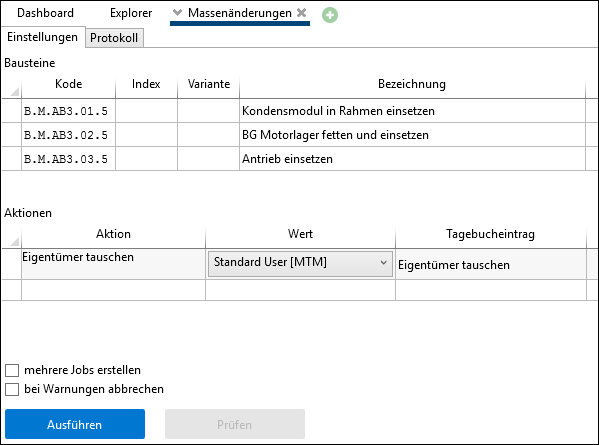
Example: Set new owner to the standard user MTM
Step 2:
Execute the exchange or previously Check.