The "Exchange formula parameter element" allows you to swap elements in the parameter list of formulas. This is done in the same way as switch structure element.
Procedure:

Select all formulas in which elements are to be exchanged in the parameter list. |
Open the "Mass change" menu and select the item "Exchange formula parameter element". The element in the parameter list is replaced for all selected formulas. 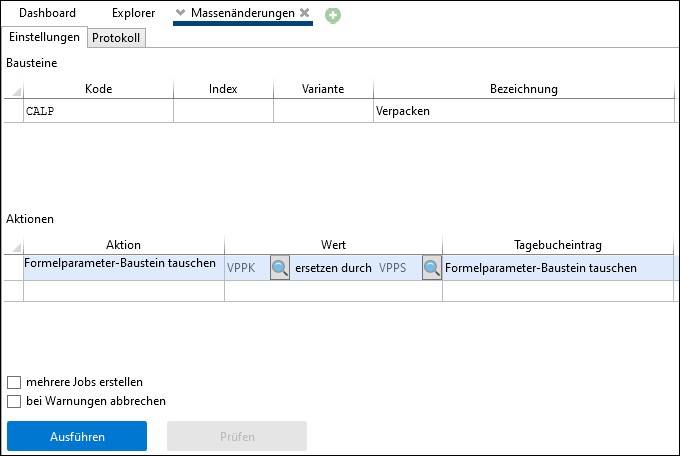 Exchanging the VPPK element with the VPPS element in the CALP formula |
Select the "old" element to be replaced by using the "" button. 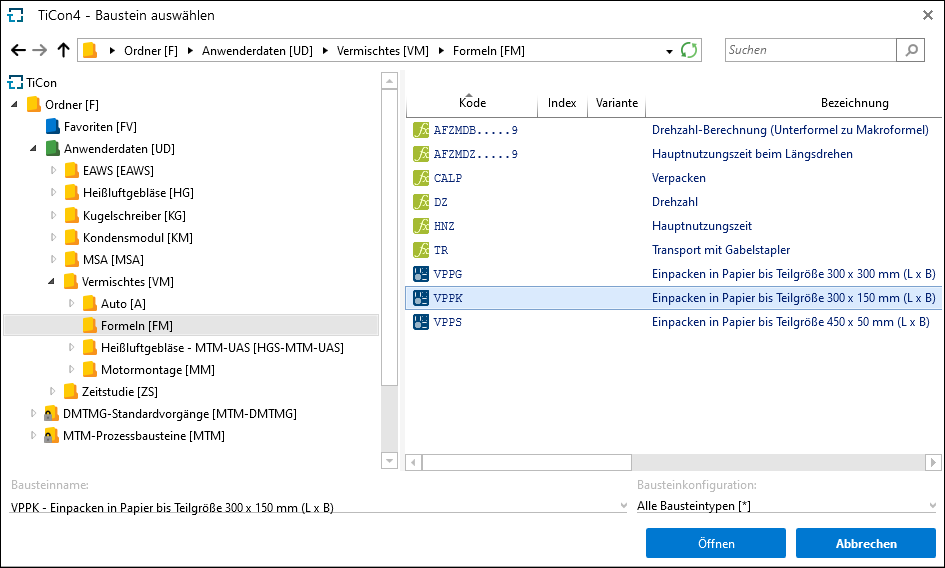 Dialog for selecting the element |
 . A search dialog opens, where you can navigate to the element. A selection is made by double-clicking or clicking
 Select the "new" element with "". |
 . Here too, a search dialog opens for navigation.
Execute |
The successful completion of the action is displayed in the log.
Note: |
The "Exchange formula parameter element" function is only available if the parameter list of the selected formula contains parameters of the type "process element". |