The element configuration EAWS®-Template is used to create EAWS®-specific data cards.
As it assumes the function of a data card, an EAWS®-Template cannot be copied, duplicated or deleted.
The standard tabs Header, Usage and Journal are available for the element configuration.
The template tab is a special feature.
More about this: |
|
|
Template tab
The template is defined on the Template tab in the form of a table.
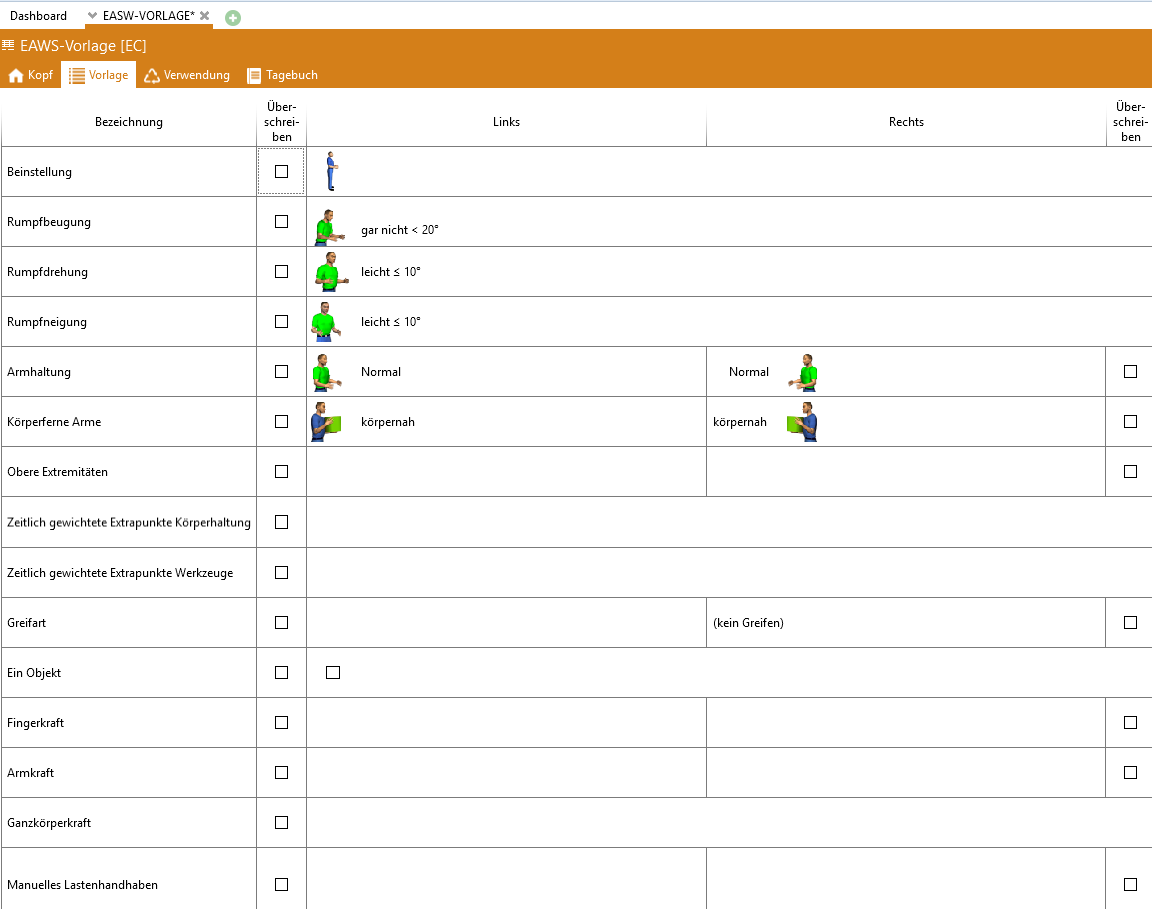
Template tab
The "Description" column contains a fixed text that cannot be changed. The first column, "Apply," controls . The "Left" column contains the data as filled in by the data card. The 2nd "Apply" column controls whether the data for the right-hand side is applied when the data card is used. The "Right" column contains the data as filled in by the data card (for the right half of the body). Data that applies regardless of the side, such as trunk flexion, can only be set in the "Left" column. Copying and pasting from/to the table into a single EAWS row and vice versa is possible. If data is inserted from the table into an EAWS row, only the data marked with "Overwrite" in the table is inserted If data is inserted into the table from an EAWS row, all data from the EAWS row is copied and all "Overwrite" checkboxes are activated. The line One object
|
 Using EAWS templates for data entry
EAWS template elements can be used on data cards. This means that the coding of an EAWS template can be entered (cell type = element code) or an EAWS template element can be linked (cell type = element). For use as an element cell type, the folder usage must be configured accordingly If "Time" is selected as the label, nothing (empty) is displayed as the label, as EAWS templates have no time |
Using EAWS templates for data entry
When using a data card with EAWS templates, data can be transferred to a detailed analysis (in the "Structure" tab) or a process element (in the "EAWS analysis" tab) The position selected in the data card "before/after/in current line" or "Last line" is taken into account. In "before/after current row" and "last row" mode, a new EAWS analysis row is created and initialized with the default values, whereby the influencing factors marked as to be overwritten are filled in with the values defined for them in the template. In addition to clicking the data card, it is also possible to drag and drop (before/after or onto an EAWS row) from the data card. As an alternative to using a data card, EAWS templates can also be used from Explorer via drag and drop. |
Note: |
Template elements can be exported and imported. |