The "Variants" tab is used to assign the product variants with the corresponding variant keys.
The display options and editing functions correspond to those of the "Variants" tab in a mix balancing. More about this: Variant tab

"Variants" tab in a maximum balancing
Product variants can be added, changed, or deleted in this tab.
Folders, features, or options, on the other hand, CANNOT be added, changed, or deleted.
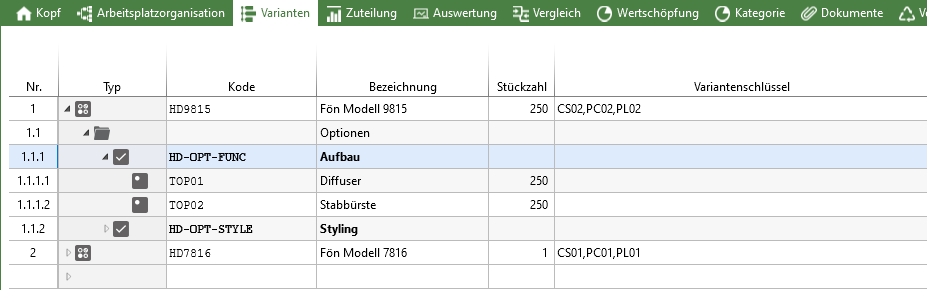
"Variants" tab in a maximum balancing with opened options
Only the number of pieces can be changed in option rows.

For a variant, you can specify whether a resource should be available or not. |
The following buttons in the Variants ribbon are used for adding or removing product variants in a balancing: 
|


