In each balancing type, elements with ergonomics evaluation can be used as work contents.
Please note: |
In order to be able to use a balancing with ergonomics evaluation, you must first make the necessary “Settings" in the administration area. |
 Display in the "Work contents" window
All ergonomics evaluations of all processes are displayed in the "Work contents" window. (If available) 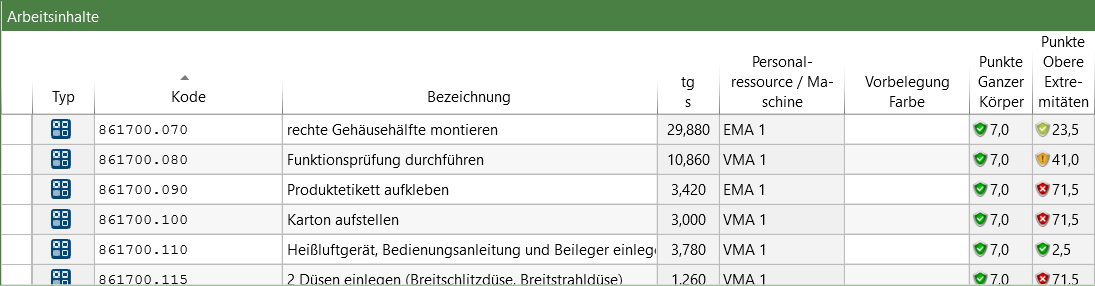 |
To obtain an overview of the ergonomic strains of a selected operator, the operator must be selected and the "Ergonomics" work area opened. (Siehe: View Options ) 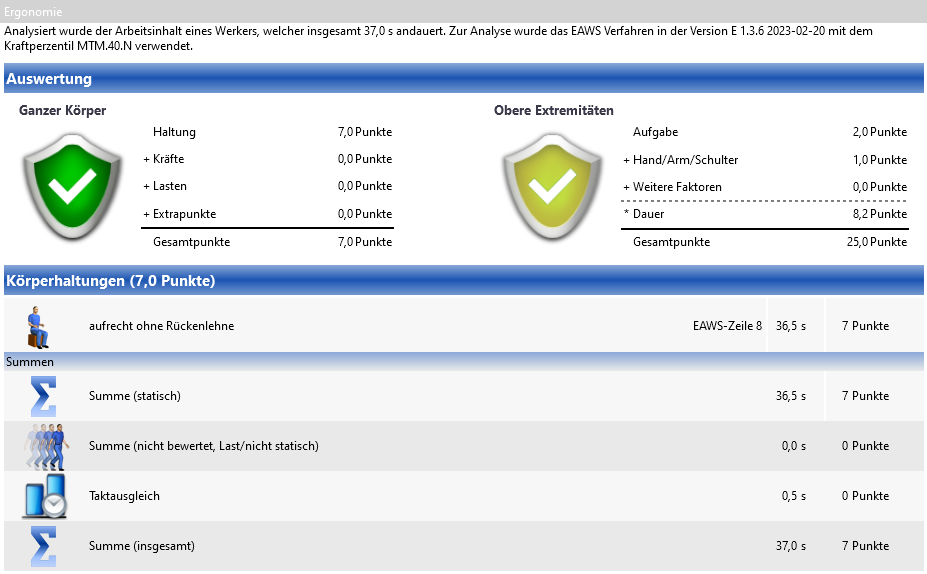 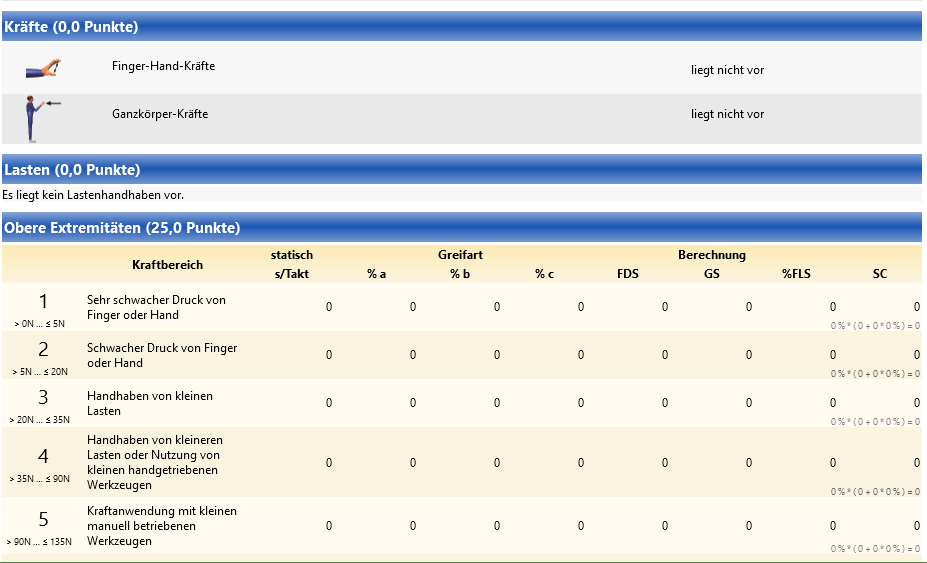 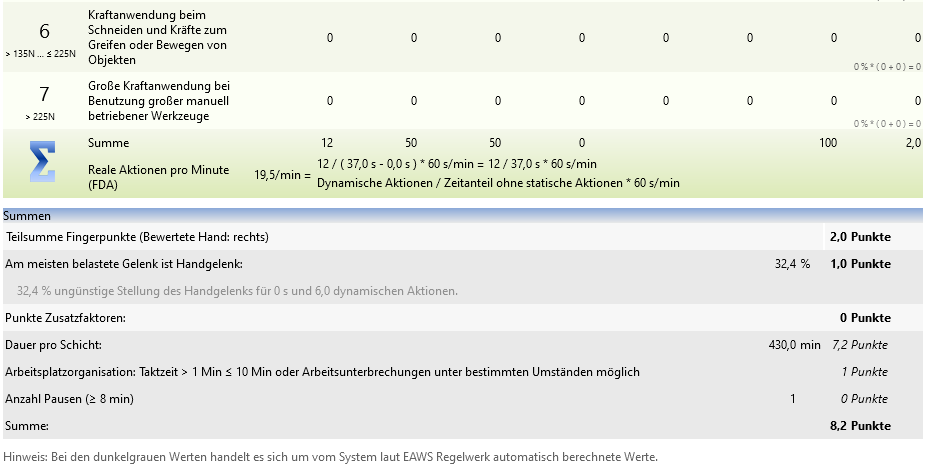 "Ergonomics" work area |
Columns for displaying ergonomic strains
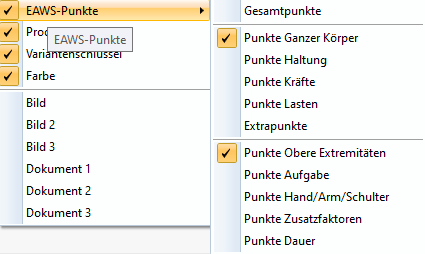
In addition, various columns for ergonomic strains can be displayed in the tree, chart, and work contents. (Siehe: View Options )
Overview of columns that can be shown in the view options |
An ergonomics evaluation is not carried out by default. In the "Calculate ergo evaluation" drop-down menu, you can select whether an ergonomics calculation should be calculated or aggregated.  "Ergonomics" selection area "Ergonomics" selection area
|
The "Display ergonomics allowance" function can only be activated if one of the two options "Calculate EAWS evaluation" or "Aggregate EAWS evaluation" has been selected for "Calculate ergo evaluations". If the ergonomics allowance display is active, a factor is calculated for each human resource based on their total ergonomics points and added to the time of the assigned elements. An ergonomics allowance is placed in an additional row in the assignment tree. |
As soon as a posture transition occurs between two work contents that are assigned to the same operator, a new row with the description "Posture transition" is assigned to the tree. The times for posture transitions are summarized for each operator in the "tg-Trans" column. |