Balancing with HWD elements

<< Click to display table of contents >>

Navigation:  TiCon Takt >

Balancing with HWD elements

HWD elements can be used as work contents in any balancing type.

Please note the following special features:

Posture transitions

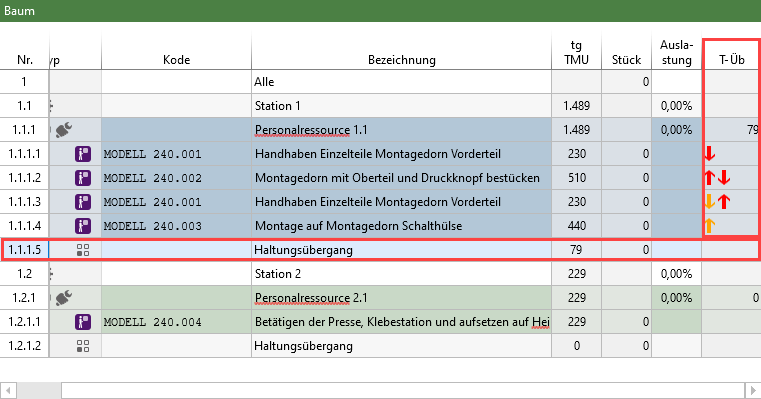
As soon as a posture transition occurs between two work contents that are assigned to the same operator, a new row with the description "Posture transition" is assigned to the tree.

Posture transitions make it possible to visualize and evaluate, in terms of time, changes between the start and end postures of consecutive HWD sections. This makes it possible to see the impact of a posture change on the total execution time of a work sequence.

The times for posture transitions are summarized for each operator in the "tg-Trans" column.
A posture transition is only calculated if both the predecessor and successor are HWD analyses. Otherwise, no posture transition is displayed.

Display the T-Trans Column

Posture transitions in the tree of a balancing with HWD elements

Posture transitions in the tree of a balancing with HWD elements

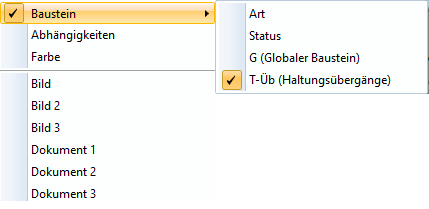
In Ribbon > View > Select Columns, the T-Trans column can be displayed.


Show the "T-Trans" column (posture transitions) under "View" -> "Select columns"

Show the "T-Trans" column (posture transitions) under "View" -> "Select columns"

In the "T-Trans" column, red and yellow arrows are used to illustrate the type of posture transition. The posture transition takes place at the point where the tips of the arrows point towards each other.

Meaning of the arrows in the "T-Trans" column

▪Red – The posture transition is time-relevant.

▪Yellow – The posture transition is not time-relevant.
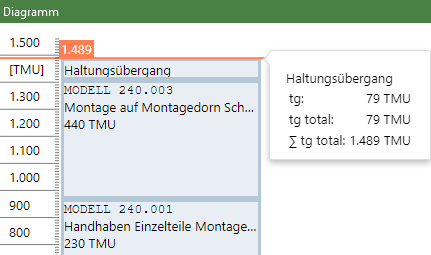
Display of a posture transition in the chart

Display of a posture transition in the chart

Display in the Tree View / Diagram

In the tree view, the posture transition is displayed as a separate row for the respective worker / machine.

In the diagram, the posture transition is displayed as a separate field for the respective worker / machine.

Posture transition rows and fields cannot be edited.

Use of Station and Cycle Time Factors

Station / Cycle Time Factors in Balancings with HWD Elements take posture transition times into account.

EAWS evaluation

The total transition time is taken into account in the EAWS evaluation.

Differences Between the Balancing Modes

Balancing Mode

Calculation of Transition Times

Standard balancing

The calculated total transition time corresponds to the base time of the transition row. Since the factor is 1, the base time also corresponds to the total base time.

Mix Balancing

Transition times are calculated separately for each variant. In the All Variant, the calculated transition times are weighted according to the applied weighting.

Max balancing

Transition times are calculated across all variants. The Variant Key is not taken into account. The calculated times are weighted based on the quantities of the assigned elements.