It is possible to link an element with a data card by selecting the "Element" cell type. In the properties window, you have to enter the element code in the "Code" row.
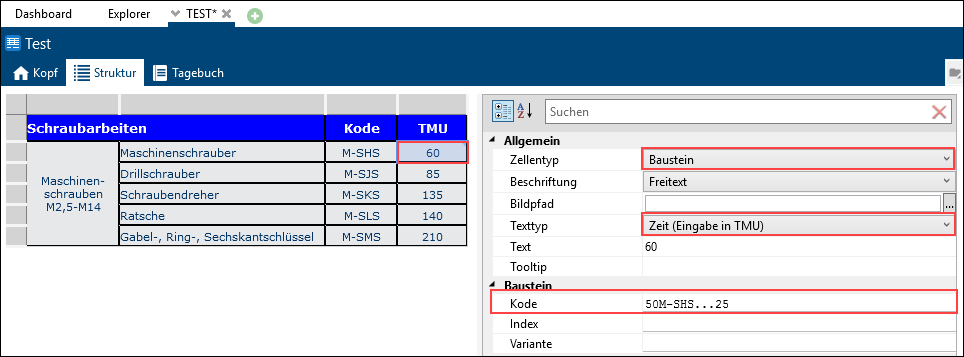
Please note: |
In the settings of the folder in which the data card is created, the folder usage or element configurations to which the elements that are linked belong must be permitted. Otherwise, a corresponding error message appears in TiCon when saving the data. |
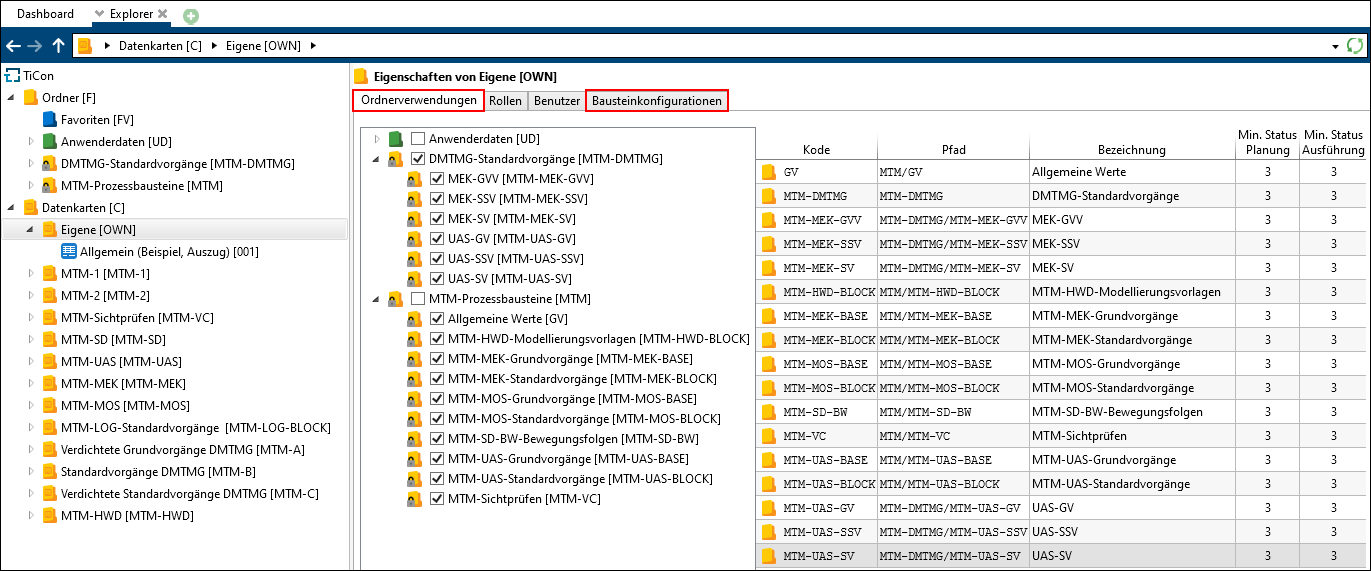
Folder usages
Furthermore, the administrator has to allow the usage of the relevant element configuration at the element configuration of the type "Data card".