Elements can be added to a balancing either directly (inserting from Explorer via drag and drop) or via the “Data basis" to the list of work contents. Text rows from the data basis are always loaded, provided that they are not empty. This improves structuring.
|
 Functions in the Assignment ribbon
Depending on whether local/global processes and/or data basis are allowed for the work contents, various functions are displayed in the "Assignment" ribbon in the "Work contents" area.
Area Work content in the Assignment ribbon
|
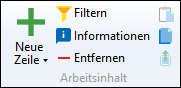
Pressing the Del key does not remove any elements from the work contents. To delete elements, the "Delete" button must be selected from the "Work content" area of the "Assignment" ribbon.
|
In the "Assignment" tab, factors can be defined for work contents in the corresponding column. These can also be stored in the form of a variable. In this case, the "Variable" tab in the administration must be enabled for the balancing type used. If a variable is used for which no value has yet been stored, a value of 1 is stored for this variable by default. If necessary, the value can be adjusted later in the "Variable" tab. |