Dependencies within an assignment make it possible to start parallel processes along with others. This creates a dependency to other operators/stations.
Here processes can start and end at the same time or start depending on another one afterwards.
To use the function, it must be activated in the “Element configuration".
 Work steps to define a dependency
1.Highlight the first work content with a single mouse click. 2.Highlight the second work content with a single mouse click while holding down the Ctrl key. 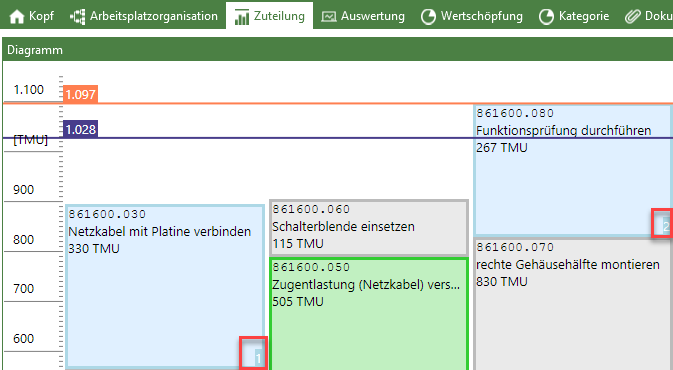 Highlighted work contents with colored background and numbering 3.In the ribbon in the "Row" area, select the "Dependencies" drop-down menu and then select the desired dependency relationship
Selection options for dependencies 4.The dependency is now established, which is indicated by the corresponding arrow symbol on the work content. |
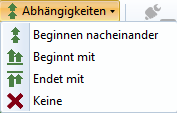
Start one after another The work contents are assigned in such a way that work content 2 is not started until work content 1 has been completed. Starts with The work contents are assigned in such a way that both work contents start at the same time. Ends with The work contents are assigned in such a way that both work contents end at the same time. None A dependency that has already been created is deleted. |