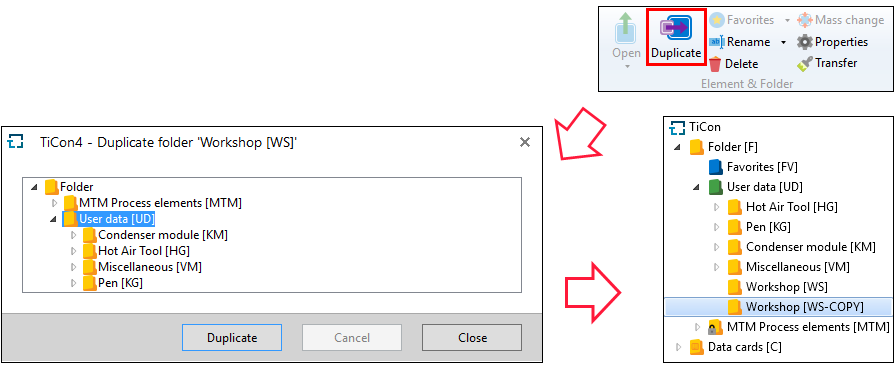
Folders and their structure can be duplicated by using the Duplicate button in the “Explorer” ribbon.
In the "Duplicate" dialog, you first select the target directory. After clicking the "Duplicate" button, the folders incl. all their elements and folders are copied. That means that duplicating works like copying folders in Explorer.
Please note: |
For more information on duplicating folders, see the Administration / Folders. |