Additional sections are part of a time study. They represent an unintended, unexpected event, which causes an interruption or at least a delay of the work tasks during the time measuring; in the worst case, even damage. If, for example, the executing person has a coughing fit during the measurement/task, this might be recorded as interruption. This interruption is subtracted from the determined time.
In the administration, it is possible to create text templates, which can then be used both in TiCon4 and in the app. This is important, especially during the time measurement, to not spend more time entering text than the actual interruption takes.
Any number of additional sections can be added and saved. Each additional section must have a code and description. Additional sections can be assigned in the "Sections" tab per cycle. It is also possible to create new additional sections there. In chapter “Additional Sections", there are further hints on how to enter and use additional sections during the time measurement.
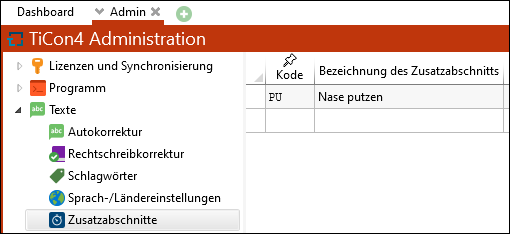
Manage additional sections