In product features, all types of additional objects can be used in the "Use as option" type. The options are displayed in the tab of the same name.
These include:
•Assembly [AS]
•Box [G.RCO]
•Operating supplies [OS]
•Auxiliary supplies [AX]
•Material [G.PMA]
•Qualification [G.RQA]
•Feedstock [FS]
•Part [PT]
•Substance [SU]
•Drawing [DW]
Further information: Additional objects
Both existing additional objects can be inserted as options and new options can be created.
Please note: |
In options, none of the following characters may be used in the code, index, or variant: &, +, |, /, !, ; |

New options can be created using the "New row" button or the context menu. Click the "Create option" button to open a dialog where you can enter the header data for the new option.  "Create option" button 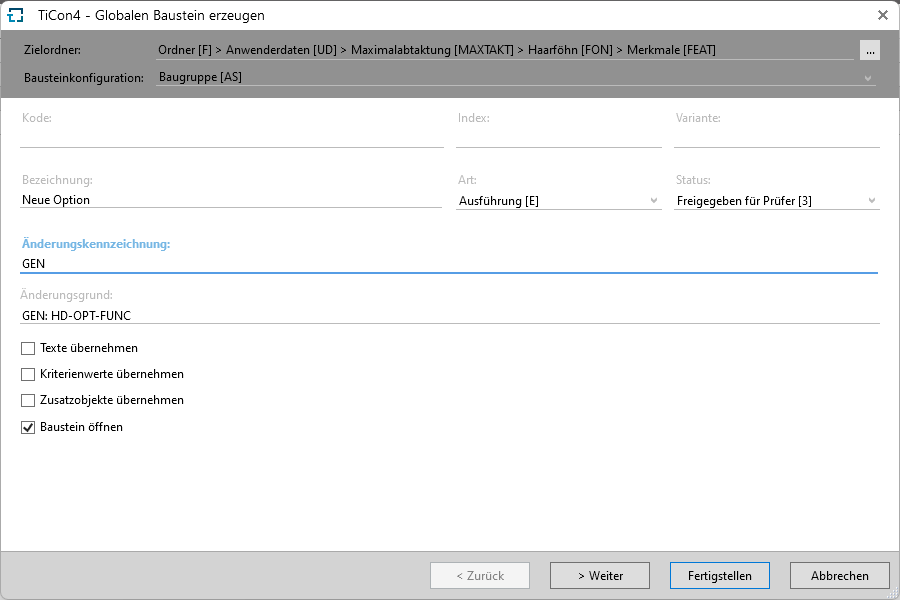 Dialog for creating options
|
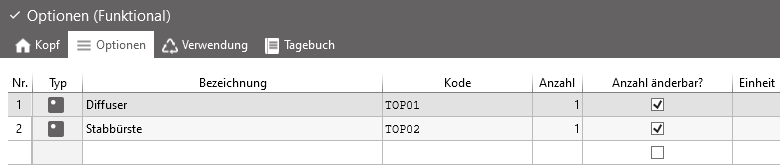
"Options" tab in a product feature
Note |
Options (parts, material) of product features can only be deleted if they are not used in features, families, validities, or balancings (production programs) However, options that are no longer available can be removed from the features |