In the "Assignment" area, “Resources" (e.g., operators and stations) are created.
The processes can then be assigned to the individual operators and stations.
More about this: Assignment of Work Content
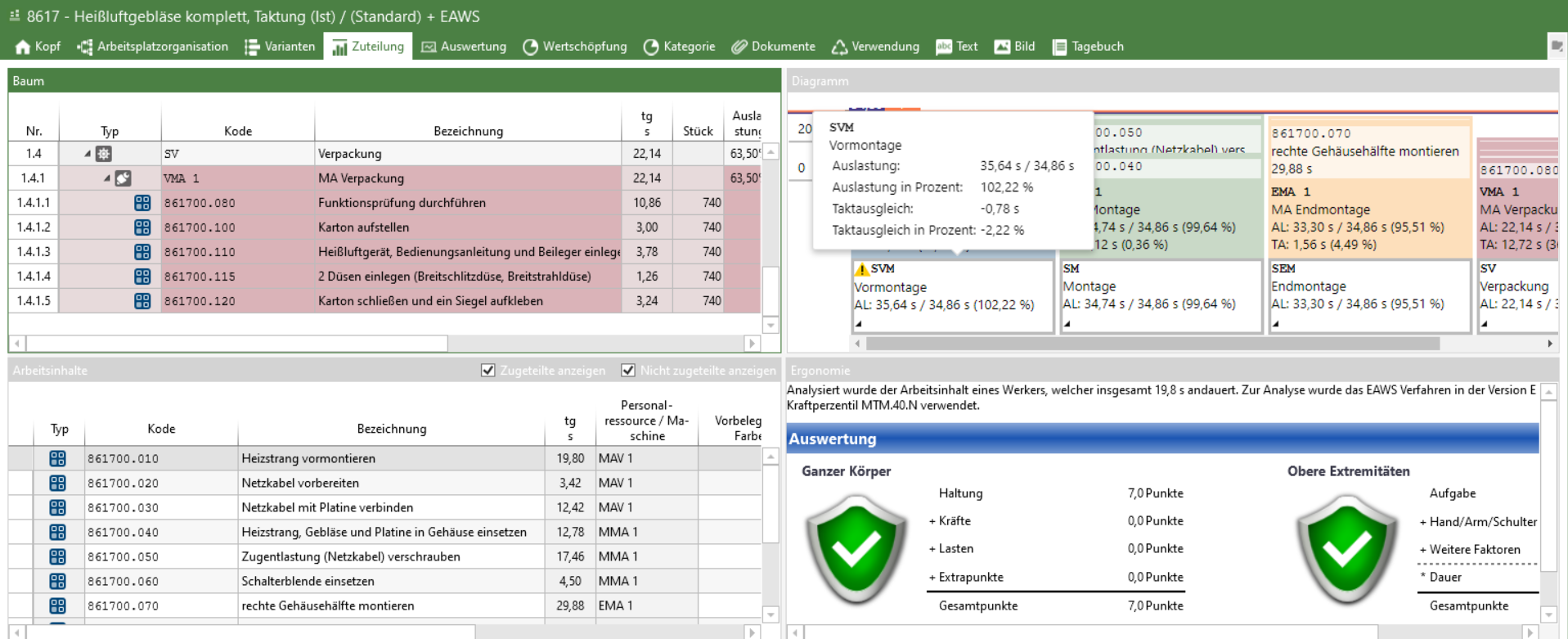
"Assignment" area of a standard balancing with ergonomics evaluation

The "Edit" button in the "Assignment" ribbon can be used to change the factor for element rows. Furthermore, you can add a cycle time and station factor for the station rows. Variables can also be used to define the factor. To do this, the use of factors must be selected in the element configuration. 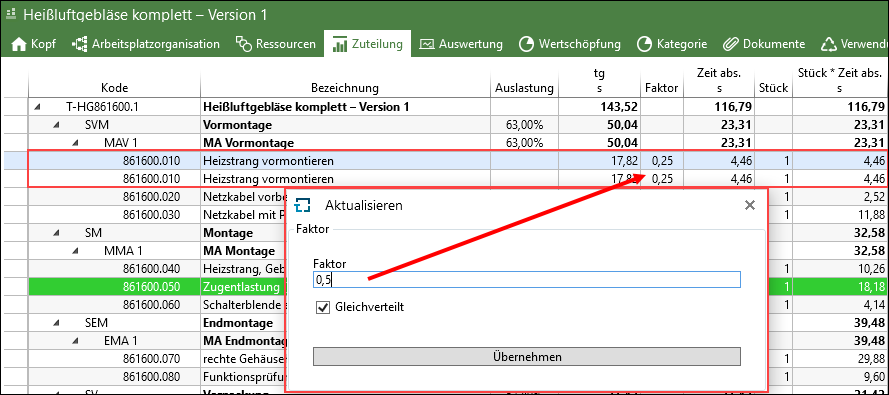 Element factor: Input field where the factor of an element or of several highlighted elements can be overwritten. It is possible to add a numeric factor to several rows. There are the following options: •"Evenly distributed": Elements with the same occurrence in the balancing are divided in such a way that the factor in sum is equal to the entered value. If, for example, the factor 1 is entered with two occurrences, the factor 0.5 results, for 3 occurrences the factor is 0.33333, etc. It is sufficient to highlight one occurrence of the element, but it is also possible to highlight several. The value, which is entered in connection with "Evenly distributed", is divided by the occurrence. If "Evenly distributed" is inactive, the entered factor is assigned to all highlighted rows. •"Apply for all variants": If this option is active, the change affects all variants. If the option is inactive, only the currently displayed variants are affected. Cycle time/Station factor: These factors are used to map identical work contents at stations. Factors other than 1 are displayed at the station in the "Factor" column. Either the cycle time factor or the station factor per station can be used. In order to enter a cycle time / station factor, select the desired station and use "Edit" > "Factor" in the "Assignment" ribbon. "Cycle time factor": At this station, 1 operator walks along with the station for n cycles (= rotating station). In the case of cross-station operators, the factor is kept synchronized between all operator instances. If a cycle time factor is used in a balancing with product variants, it is the same for all product variants in the balancing. No different factors can be used for each product variant. 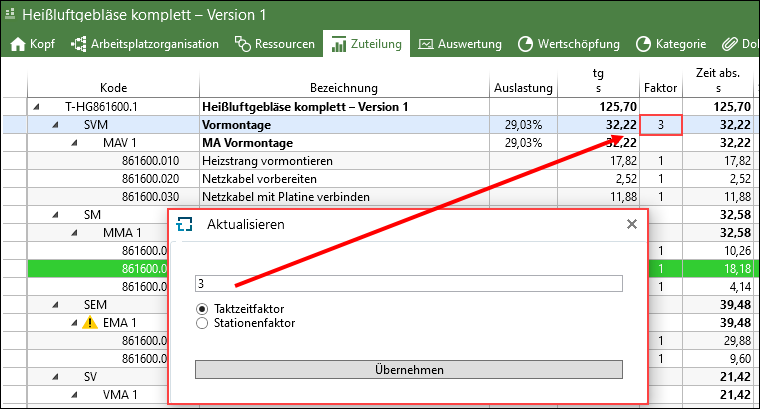 The cycle time of 37 s was multiplied by 3 "Station factor": The time of all assigned elements will be divided virtually. For example, for factor = 2 the time of the assigned work content will be cut into half. 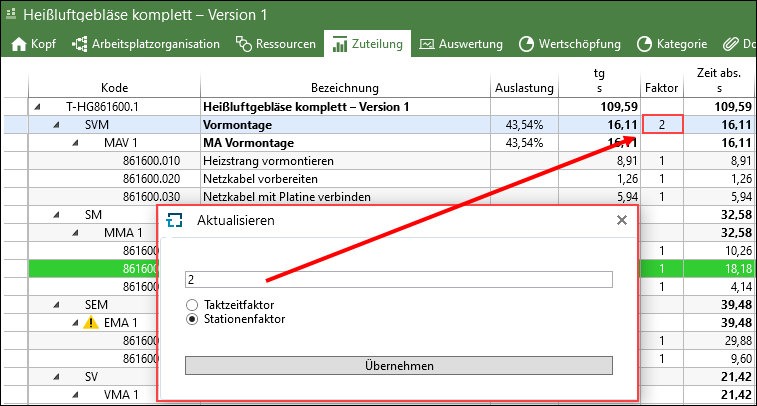 The element time of 32,22 s was divided by 2. |
If the criterion color [COLOR] is assigned to an analysis, the color changes accordingly in the assignment (see chapter Criteria in the Administration).
Color coding in an analysis in the tree view
Color coding in an analysis in the chart view |

Search for elements