The calculation parameters directly affect the times of an analysis.
Time distribution:
The time distribution determines how the analyzed times of an element are regarded. With "Execute" or "Set-up", the evaluated times are fully placed on one or the other type of time distribution.
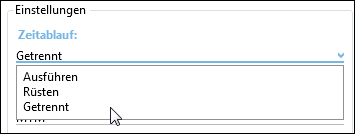
Selecting the time distribution
Example:
Time distribution "Separate"
Analyzed basic time TG (Structure) |
Analyzed set-up basic time TRG (Structure) |
TG (time structure) |
TRG (time structure) |
30 TMU |
10 TMU |
30 TMU |
10 TMU |
Time distribution "Set-up"
Analyzed basic time TG (Structure) |
Analyzed set-up basic time TRG (Structure) |
TG (time structure) |
TRG (time structure) |
30 TMU |
10 TMU |
0 TMU |
40 TMU |
Time distribution "Execution"
Analyzed basic time TG (Structure) |
Analyzed set-up basic time TRG (Structure) |
TG (time structure) |
TRG (time structure) |
30 TMU |
10 TMU |
40 TMU |
0 TMU |
Time calculation method:
By choosing the time calculation method, the method for defining the time of an element is specified. In this way it is possible to make corresponding evaluations on the quality of the times. There is a specific “Time calculation method" tab where the evaluation is shown graphically.
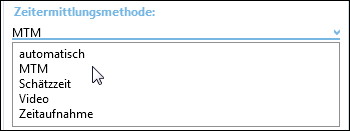
Selection of time calculation method
Note: |
In the delivery database, 'automatic' is the default setting for the time calculation method in existing element configurations. |
Number, Parts simultaneously, Quantity:
Number |
Factor with which all times of the element are multiplied. |
Parts simultaneously |
Divisor by which all times of the element are divided |
Quantity |
Factor with which the time per unit is multiplied. The result is the run time ta (see “Time Tree"). |
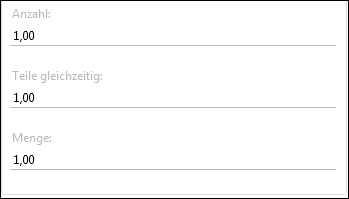
Number/Parts simultaneously/Quantity