In the tab Extra points special loads are recorded that are not included in the description of the workflow. These loads include the classic extra points of the respective assessment procedure (e.g. EAWS® - Section 0). Company-specific values can also be assigned.
Extra points are selected on the basis of category and sub-category. Since the extra points to be assigned are often stipulated in plant agreements, categories, subcategories and point values can be assigned freely. The input itself is not subject to any restrictions. However, the provisions of the EAWS® evaluation procedure apply when calculating the total points. Although the extra points entered may reflect any amount, there are some rules which limit the amount of the points contributing to the evaluation to a maximum value (e.g. classification of the additional factors of the upper limbs in line 20c).
The contents of the Extra points tab can be copied to another Extra points tab of an EAWS® analysis as well as to another tab of a process element using Copy & Paste or the Copy and Paste functions of the Extra points ribbon.
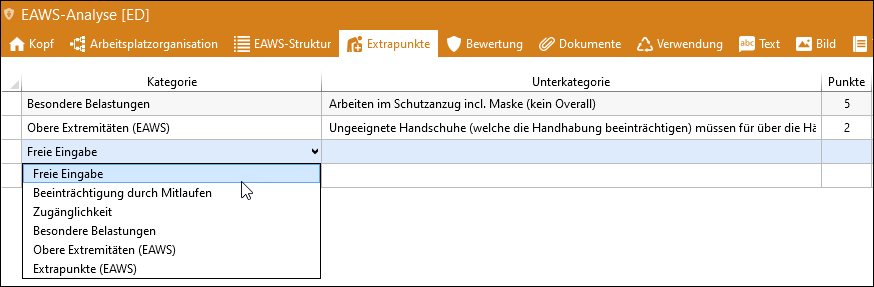
Possible assignment of extra points, e.g. for working in a cold storage facility
Please note: |
In the menu item Ergonomics / Extra points in the Administration, the existing categories and subcategories can be maintained and extended.Ergonomie / Extra points Extra points already awarded in existing analyses remain unchanged. |