The "Roles" menu item summarizes all roles. Here, it is possible to create new roles and manage the roles and their settings.
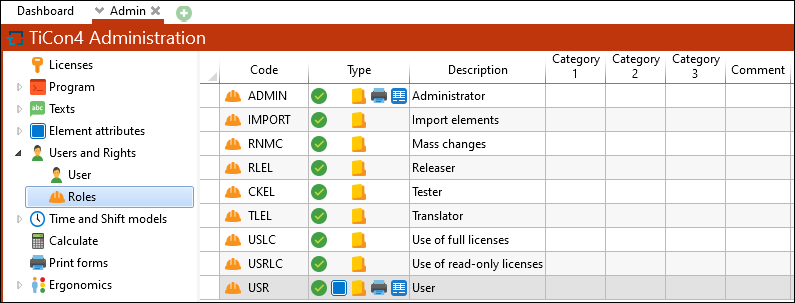
A role consists of:
•Code (language-neutral)
•Type (set permission)
•Concise description
•Categories 1–3 and comment: Free form text fields can be used for a more exact classification/filter when using lots of roles
e.g. Category 1 = MTM-Support
•Default language
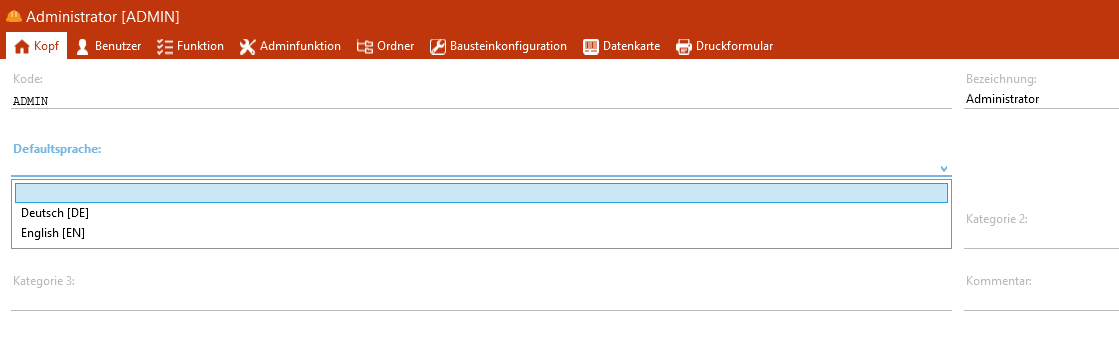
Selection of the default language in the "Header" tab of a role
It is possible to assign users, other roles and permissions (e.g. for folders, data cards, print forms, functions) at a role.
Note: |
Roles that are included per default are examples and should be replaced by own roles. |

In order to duplicate a role, select the required role and then choose the option Duplicate in the ribbon.
|