In the "Navigation" group of the Home ribbon, you can open all running or completed jobs by clicking the "Job list" button. If a job is currently running, you can also open the job list by clicking the percentage in the status bar.

Status bar with current status of running jobs
The job list offers an overview of all activities with status and progress as well as further information. By clicking on a job, details concerning this job are displayed, if available.
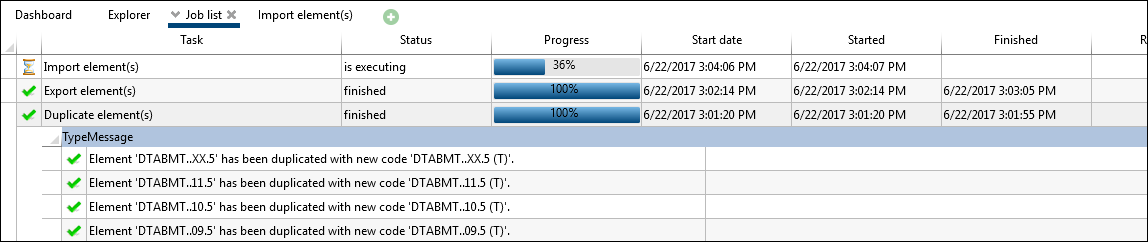
Job list
A current information message displays the current status of a job at the bottom left in the status bar. If the mouse is moved over a message, the mouse pointer turns into a hand. By clicking the message, the job list is opened.

Status bar with information that a job has been created successfully

Status bar with information that a job has been completed successfully
The Job list can be called up via the corresponding button in the "Home" ribbon. Jobs are processes which run in the background, and do not influence operations. A progress indicator is provided in the status bar.
Examples for typical jobs:
•Add / remove criteria to / from element configurations
•Add / remove allowance classes to / from element configurations
•Export / Import
Note: |
Messages within the job list can be copied using Ctrl + C and the context menu. |