The content of an MTM-HWD® assembly can be printed with the help of the standard print options and can also be exported.
Using the "Export" button in the "MTM analysis" ribbon, the contents of an MTM-HWD® assembly can be exported in the following way.
Function |
Definition |
As TiCon4 file |
Export as *.t4 file for import into other TiCon4 databases. |
As Excel file |
Exports the entire structure of an assembly sheet with all its substructures to an Excel file. |
Via print form |
Export the contents of the MTM-HWD® assembly using a selected standard print form. |
Evaluation as Excel file |
Exports the evaluation to an Excel file in the form of the EAWS® form. |
Evaluation as PDF file |
Exports the evaluation to a PDF file in the form of the EAWS® form. |
Evaluation as picture |
Exports the evaluation as a picture (*.png) in the form of the EAWS® form. |
Evaluation as picture to clipboard |
Exports the evaluation as an image (corresponding to the form for EAWS®) to the clipboard |
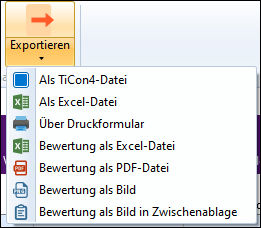
Export options for MTM-HWD® assembly
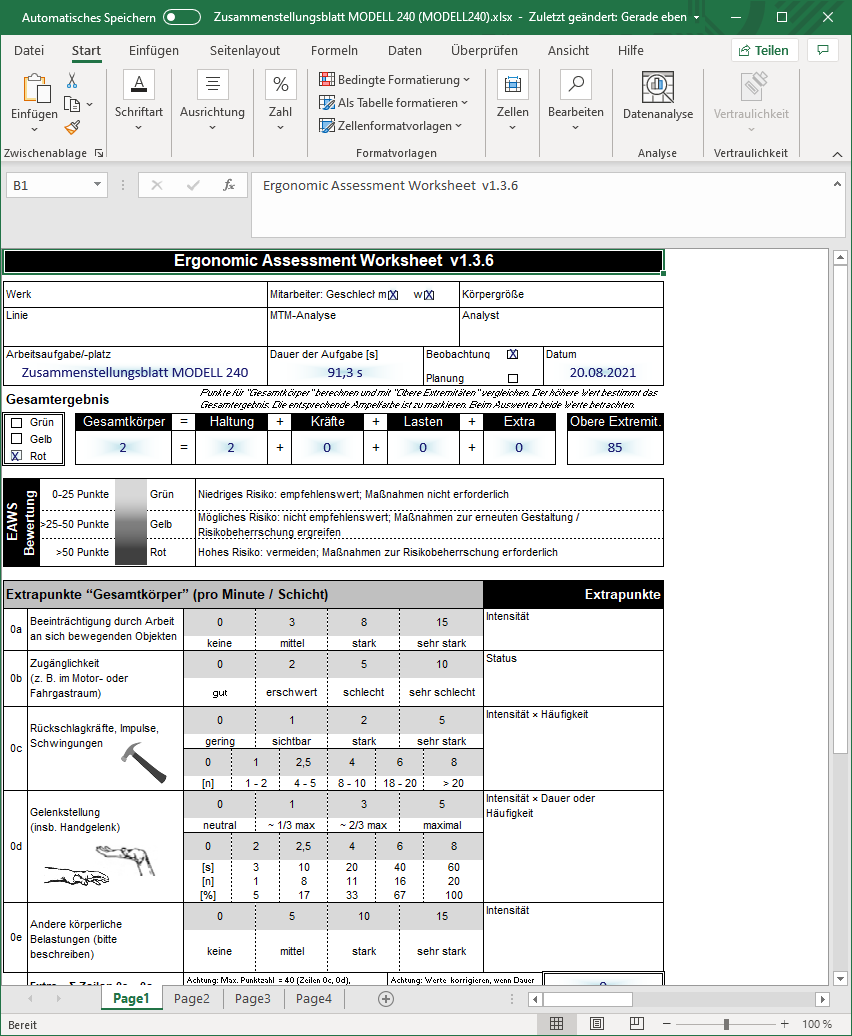
Export of evaluation as Excel file