It is possible to import EAWSdigital/HEIdigital files (*.eaws3 files) into TiCon4. EAWSdigital/HEIdigital file import is started via the import function in the Explorer ribbon or via the context menu.
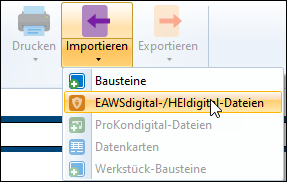
Importing EAWSdigital/HEIdigital files
Rule for the import:
•Code = file name in capital letters; invalid characters (%*_?) are replaced by a hyphen (-). The number of the workstation from the source file is appended.
•Variant = description for actual state or target state from the source file
If the source file for a workstation contains both an actual and a target analysis, 2 elements are created in TiCon4.
Additional information from the source file for which there is no equivalent in TiCon4 can be adopted as criteria (for each EAWS® element in TiCon4).
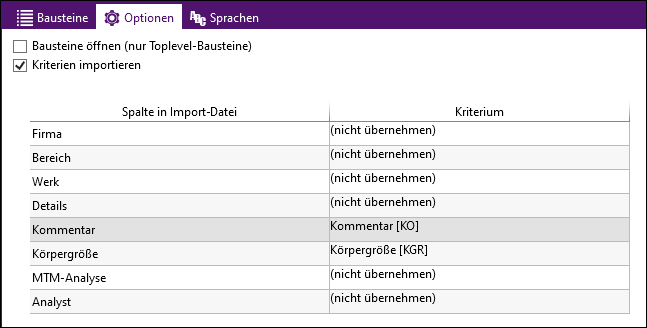
Example of possible criteria, which can be taken over from the source file.
Please note: |
So that these criteria can be taken over during import, they must be created new via the administration and assigned to the desired element configuration. |