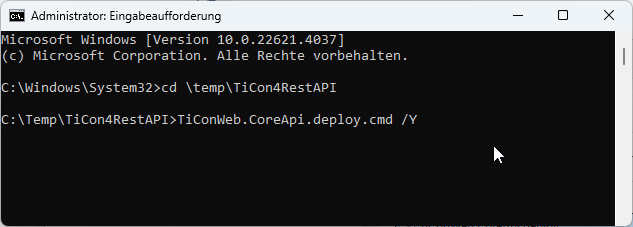
1.Open the command line as administrator
2.To update an existing installation, proceed in the same way as for a new installation. Old files and files that are no longer needed are automatically deleted, and newer ones are updated.
Before updating, it's a good idea to back up the configuration file. This file can then be copied back again after installation. The installation file can be found here: "c:\inetpub\TiCon4RestAPI\appsettings.json" (the italicized part can be configured differently)
3.Switch to the directory where the interface installation files were unpacked. Under no circumstances should the installation files be in the target folder for the interface (e.g. "c:\inetpub\TiCon4RestAPI"). Store the installation files in "C:\Temp ", for example.
4.Execute the command "TiConWeb.CoreApi.deploy /Y"
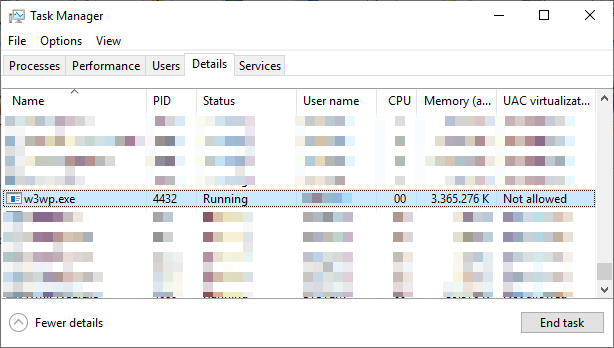
5.If an error occurs during this step because the interface is already running, the website and the application pool in the IIS Manager should be ended or alternatively the w3wp.exe process of the TiCon4RestAPI user (or the user set in the application pool) should be ended.
6.Modify the database connection in the file c:\inetpub\TiCon4RestAPI\appsettings.json

The database connection can be created from a " config.xml" (e.g. "c:\ProgramData\MTM\TiCon 4.09\Config.xml") of a TiCon installation that is connected to the same database. In this case, it is advisable to change the application name from TiCon4 to TiCon4RestAPI.
If it is an update, the previously saved configuration file (see Step 2) can also simply be copied back.
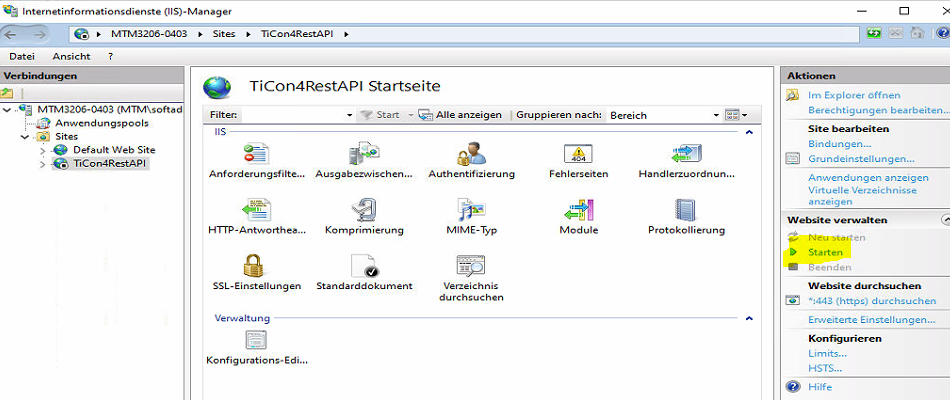
7.Launch the interface:
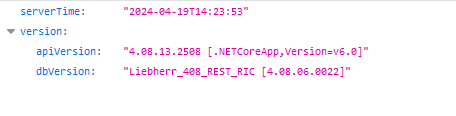
8.Test the interface, e.g. by opening "https://{{yourhost}}/ (Dokumentation) " in the browser or " https://{{yourhost}}/ticon-web/services/management/version"
"{{yourhost}}" must be replaced by the " Full Qualified Domain" name of the computer on which the REST API is running.